Built for Speed, Privacy, and Obsidian Fidelity
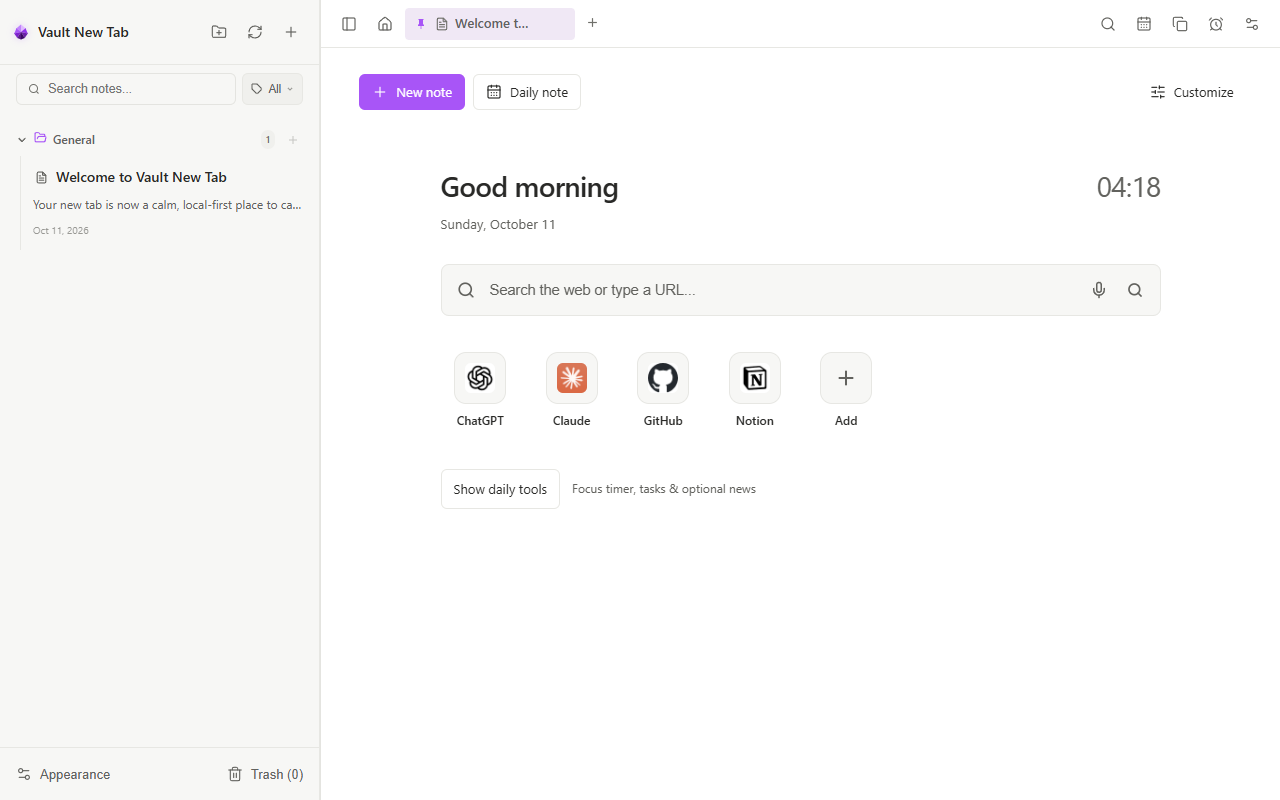
Every tool you need to capture, organize, focus, and write with pure Markdown simplicity in your new tab.
5-Coin Market Watchlist, Focus Timer & To-Dos
Start every browser tab with an uncluttered, high-utility morning dashboard:
- 5-Coin Crypto Watchlist: Real-time price pills for Bitcoin (BTC), Ethereum (ETH), Solana (SOL), XRP, and Dogecoin (DOGE) with live 24h gain/loss percentages and authentic coin badges.
- Pomodoro Focus Ring: Circular 25:00 progress ring with custom interval presets (25m, 45m, custom), break timers, completion chimes, and daily streak counters.
- Actionable To-Do List: Quick task capture with instant checkbox toggles, smooth strike-through animations, and clean local persistence.
- Direct Web Search & Weather: Ambient weather cards with automatic location detection and a clean omnibar that strictly respects your default browser search engine.
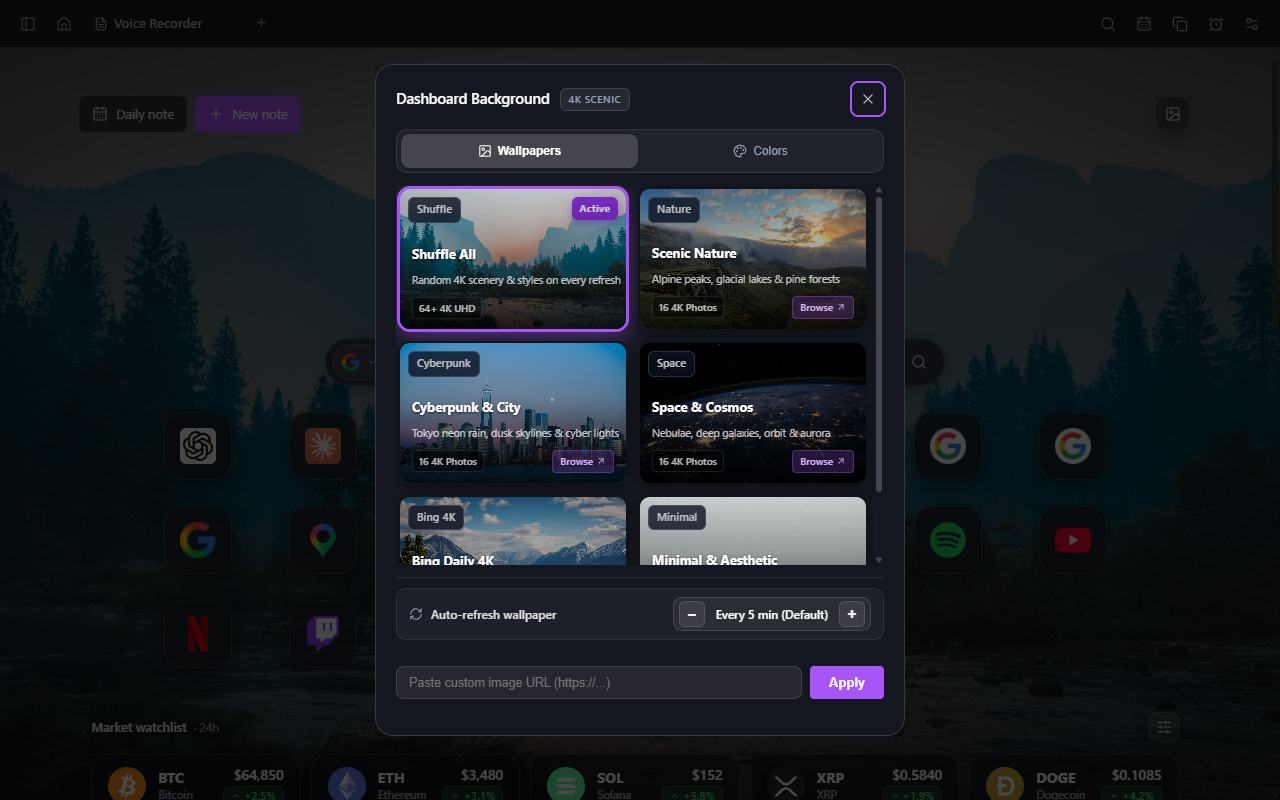
64 Curated 4K UHD Wallpapers & Collections
Transform your new tab into an inspiring, high-definition sanctuary with hand-picked 4K photography:
- Four Curated Mac-Style Collections: Scenic Nature (alpine lakes, mountain peaks, pine forests), Cyberpunk City (Neo Tokyo rain, dusk neon, skyline lights), Space & Cosmos (nebulae, deep galaxies, orbit views), and Minimal & Aesthetic (clean desert dunes, quiet ocean horizons, architectural geometry).
- 16-Item Gallery Sub-View: Click "Browse ↗" on any collection card to inspect all 16 photography options with crisp 4K thumbnails, photographer credits, and a 1-click cycle shuffle button.
- Smart Anti-Repetition Buffer: Remembers your last 16 viewed wallpapers in a local ring buffer, preventing repetitive repeats across tab opens.
- Custom Auto-Refresh Intervals: Set wallpapers to cycle automatically every 1, 5, 15, 30, or 60 minutes with smooth, GPU-accelerated crossfades.
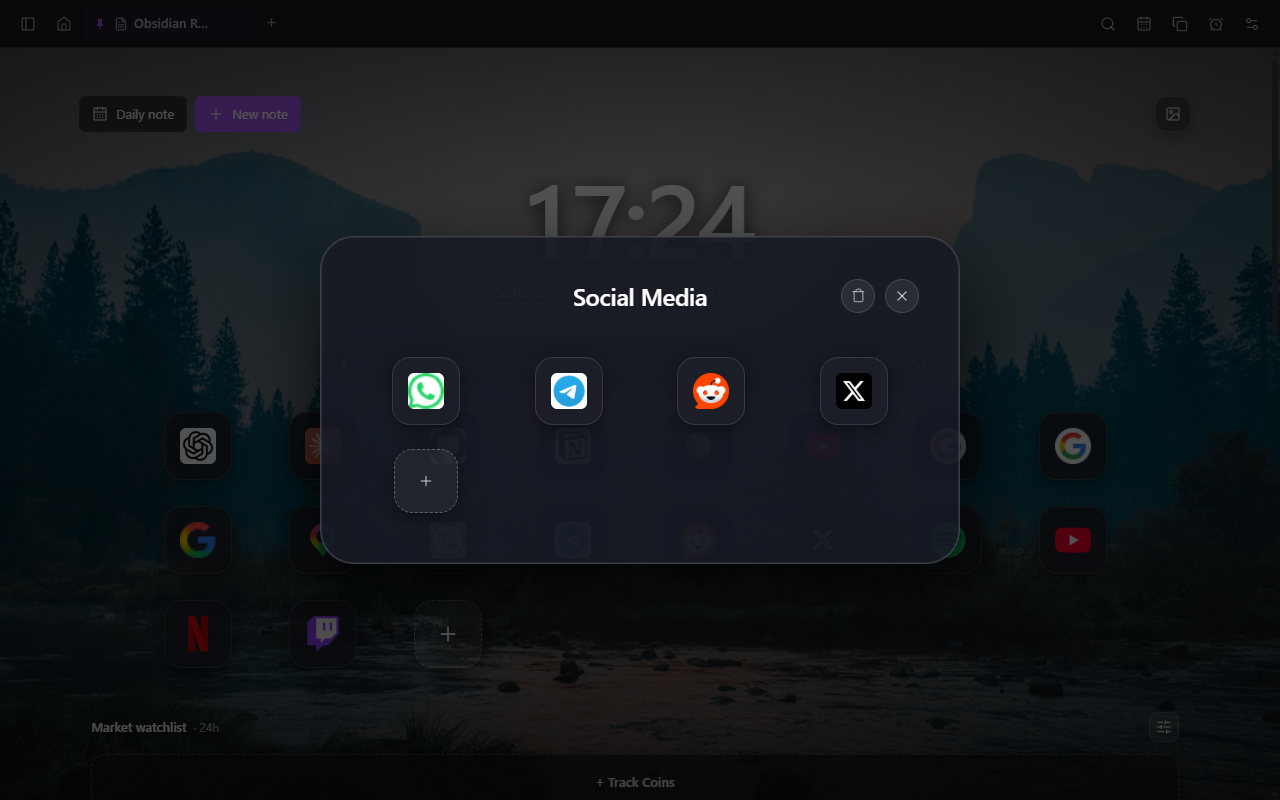
Fluid Squircle App Launcher & Launchpad Folders
Organize your daily web shortcuts with the tactile fluidity of macOS and iOS:
- Physics-Based Drag-and-Drop: Reorder apps smoothly with animated insertion lines, magnetic snaps, and FLIP-based rendering.
- Launchpad-Style Folder Grouping: Drag any app onto another to create a folder with full-screen acrylic frosted backing, custom folder renaming, and in-grid "+" add tiles.
- Dark Acrylic Context Menus: Right-click shortcuts to edit names/URLs, pick custom Lucide icons, open in background tabs, or delete safely.
- Automated High-Res Favicons: Scrapes sharp, crisp favicons for top global sites and frequently visited domains automatically.
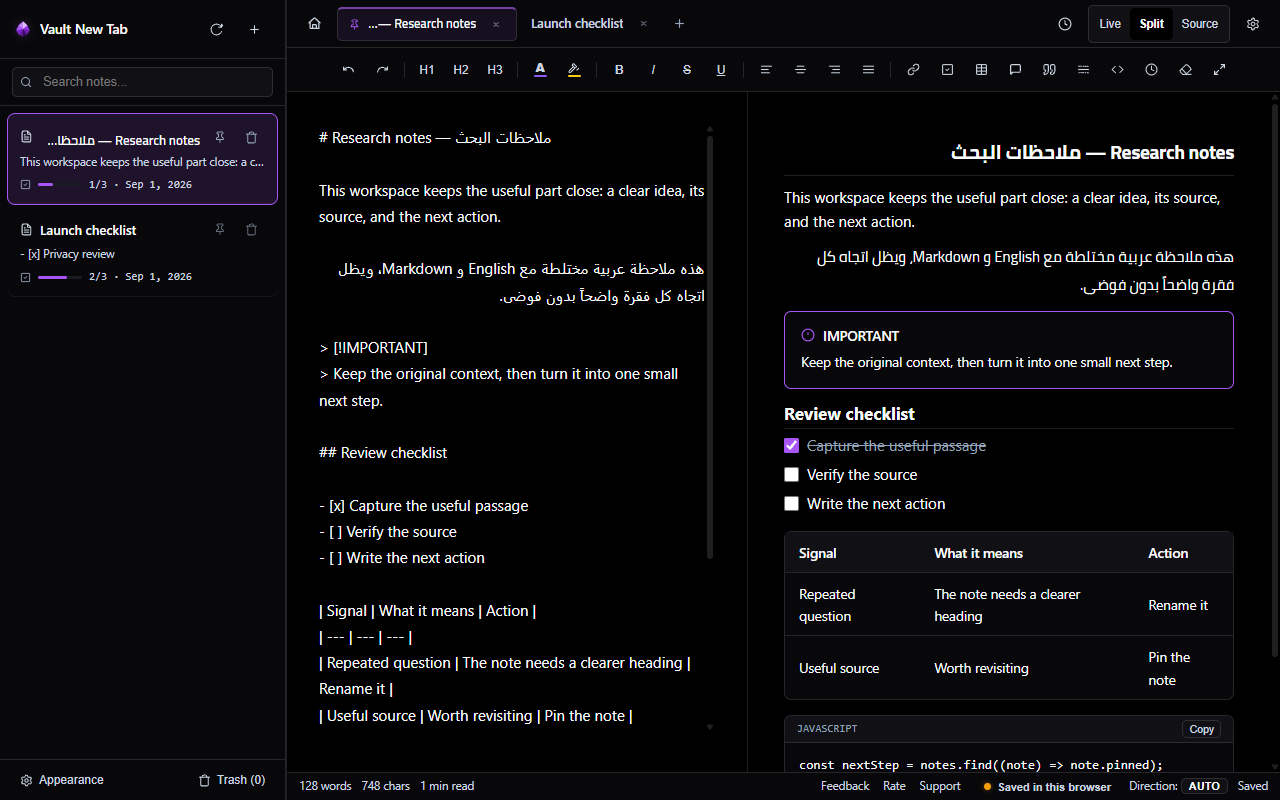
Split-Screen Markdown Workspace & Live WYSIWYG
Write, organize, and format your thoughts with distraction-free precision:
- Live Split-Screen Preview: Side-by-side editing with instantaneous rendering of formatting, tables, math, and code blocks.
- Obsidian-Compatible Syntax: Native support for wiki-links, tags, callouts, footnotes, and YAML frontmatter.
- Rich Formatting Toolbar: One-click headings, bold, italic, strikethrough, highlights, lists, and quote blocks.
- Interactive Checklists: Clickable task checkboxes that seamlessly sync between preview and source editor.
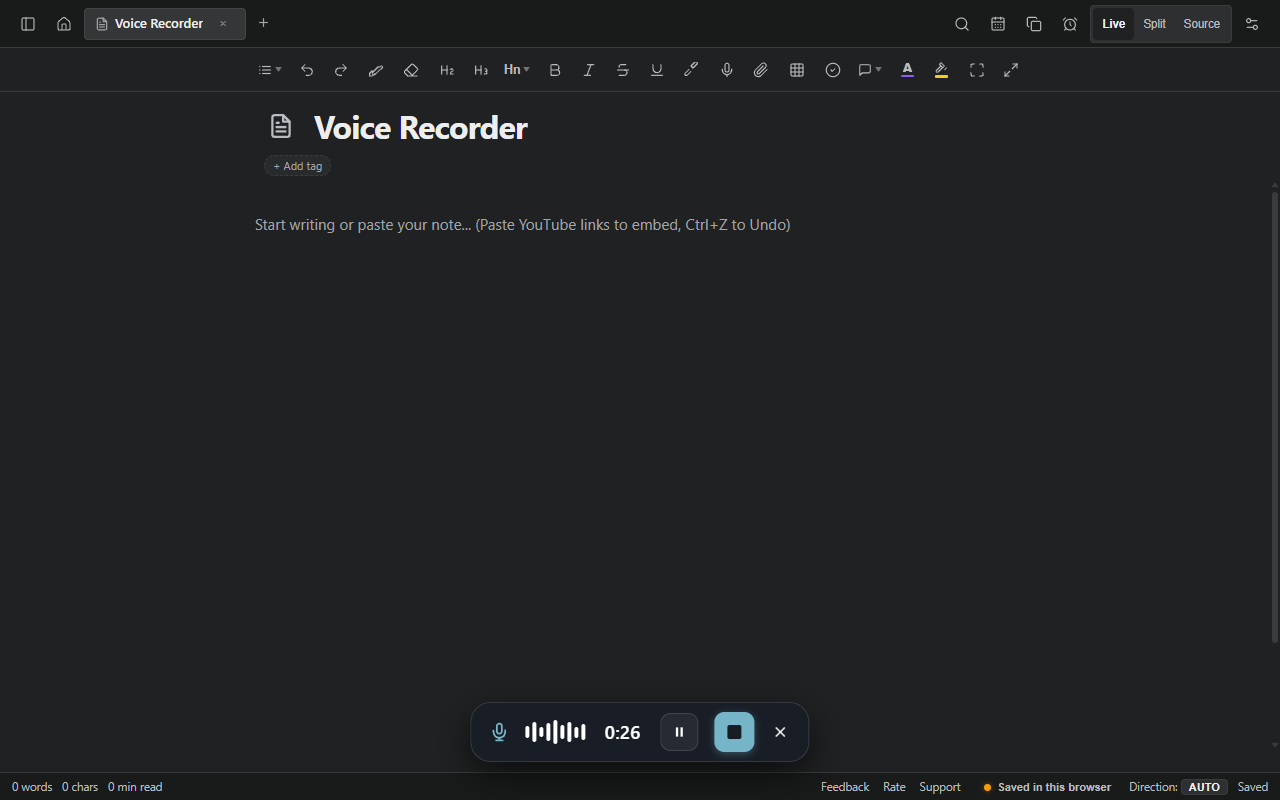
Private On-Device Voice Notes & AI Transcription
Never lose a fleeting insight while multitasking:
- 100% On-Device & Private: Audio capture and transcription execute inside an isolated Chrome offscreen sandbox. Zero audio data is transmitted to external cloud servers.
- Animated Waveform HUD: Clean live visualization of microphone input levels with instant pause, resume, and cancel buttons.
- Integrated Audio Player: Embedded player with strict LTR seekbar, 1x/1.25x/1.5x/2x speed cycling pills, and visible delete triggers.
- Instant Note Transcription: Speak naturally and watch your words transcribed into clean Markdown right at your cursor position with Alt + T.
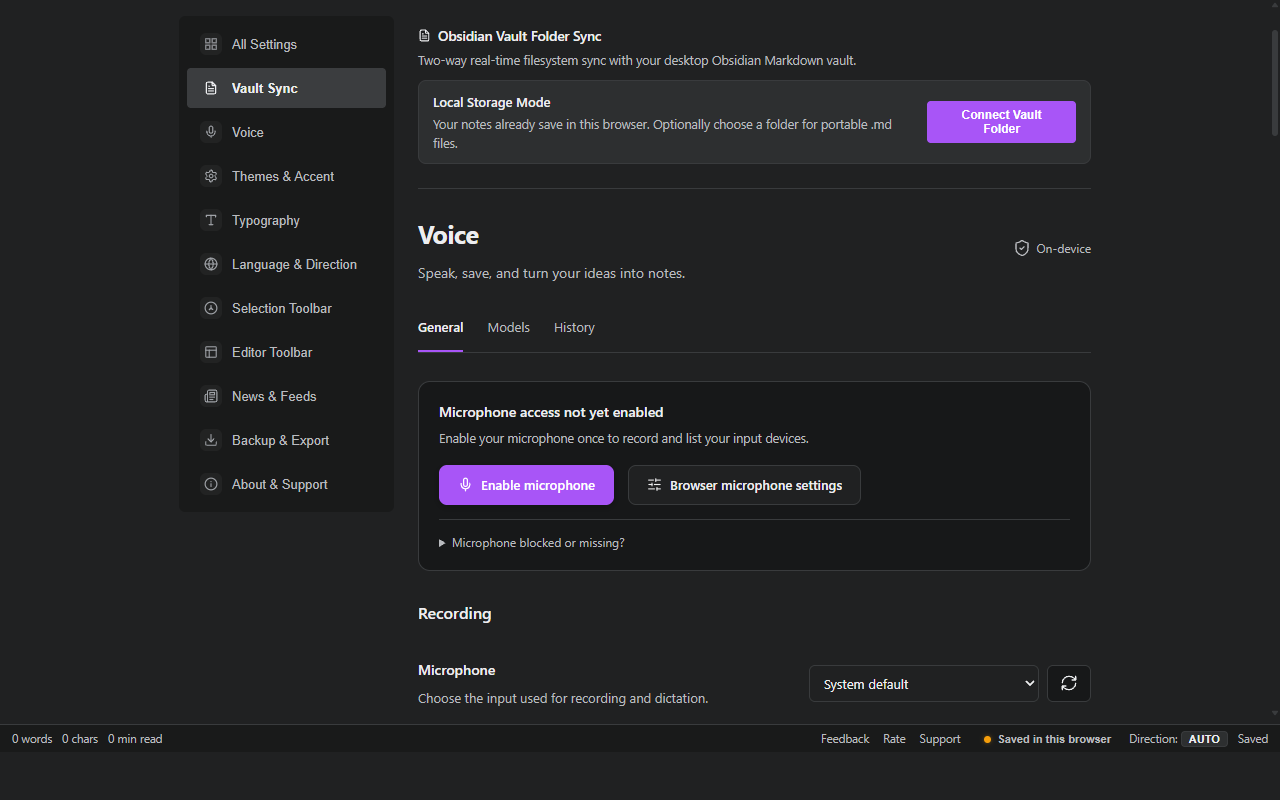
Two-Way Obsidian Sync & Workspace Settings
Seamless bridge between your browser tabs and desktop Markdown files:
- Real-Time File System Access: Read and write directly to your local computer's Markdown vault folder without external cloud sync tools.
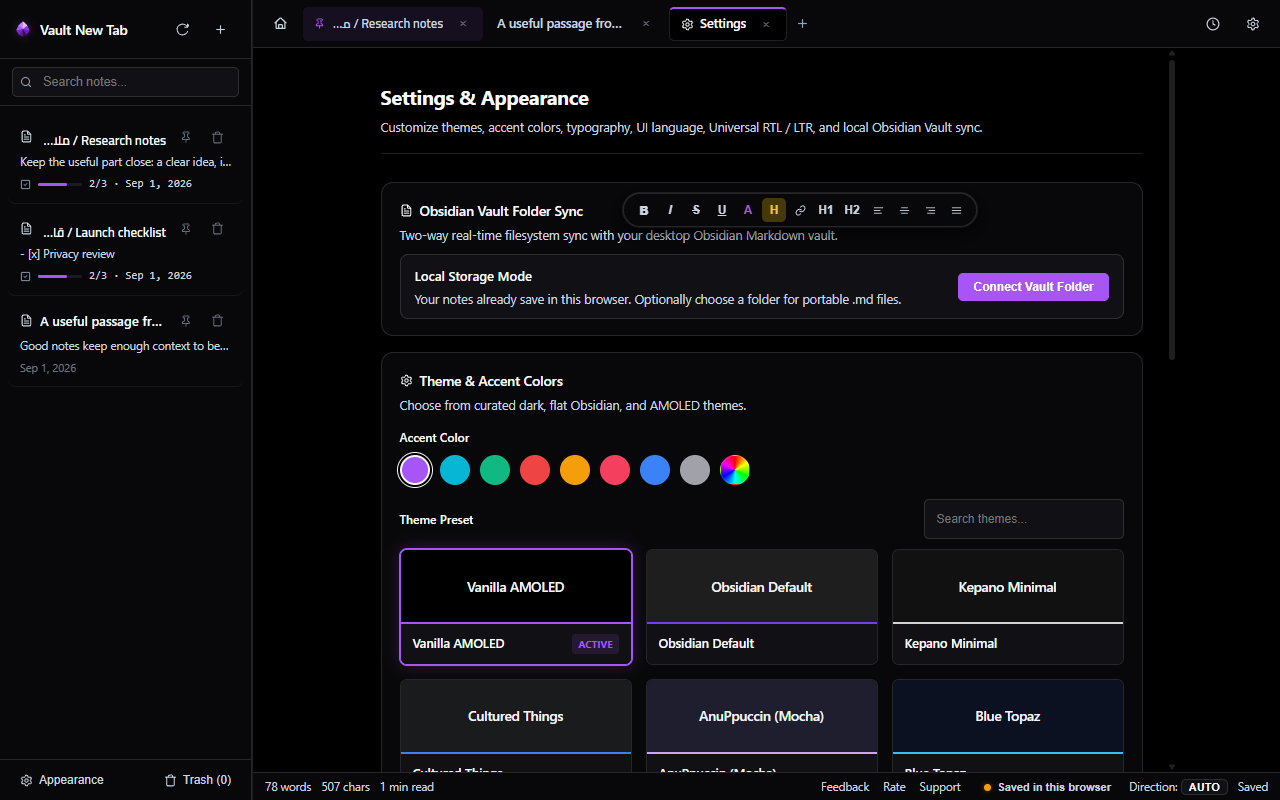
- Full Settings Dashboard: Dedicated settings navigation for microphone permissions, default view modes, language direction, and typography.
- Pure AMOLED & Light Themes: Obsidian Default, Pure AMOLED Black (#000000), Paper Light, Cyberpunk Neon, and Monokai with connected accent color tokens.
- Zero Accounts Required: 100% private, client-side execution with zero telemetry and complete data sovereignty.
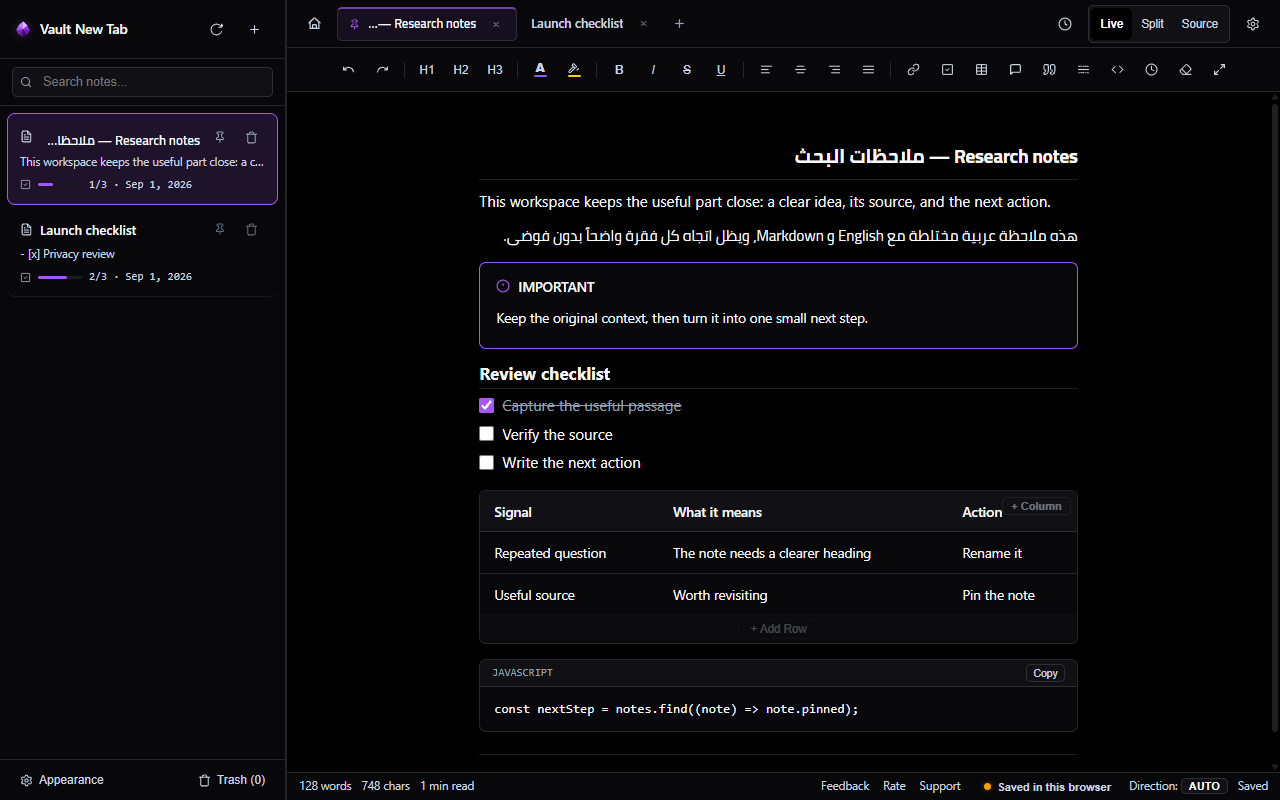
Obsidian Standard 880px Note Measure
Say goodbye to stretched paragraphs and expansive side gaps. Notes are calibrated to the golden 880px measure:
- Optimal Reading Line Length: Paragraphs maintain 65–85 characters per line, proven by typographical research to maximize reading speed and minimize cognitive fatigue.
- Responsive Margins: Dynamically adapts across laptops, ultra-wide monitors, and split screens with balanced padding (
clamp(24px, 4vw, 48px)). - Obsidian Desktop Parity: Text flow and line wraps in your Chrome new tab mirror your desktop Obsidian vault down to the pixel.
- Seamless Mode Continuity: The 880px centered column is uniformly preserved across Live Preview, Split Mode, and Source Mode.
"Reading comfort is directly tied to line length. When text spans across ultra-wide screens without constraint, eye strain multiplies."
Connected Dynamic Themes & Background Customizer
Take full control of your aesthetic. Colors cascade harmoniously throughout your interface:
- Connected Dynamic Accents: Choose from Amber Gold, Emerald, Indigo, Rose, Cyan, or Slate. All active tabs, glowing borders, links, and status badges adapt in real time with zero lingering artifacts.
- Manual Background Customizer: Override theme presets anytime. Select from Pure AMOLED Black (
#000000), Paper Light (#ffffff), Midnight Navy, Dark Slate, or input any custom hex color. - Automatic Contrast Adaptation: Light backgrounds automatically switch typography and borders to deep slate tones for WCAG AAA contrast readability.
- 10 Curated Presets: Enjoy pre-calibrated themes including Vanilla AMOLED, Kepano Minimal, Blue Topaz, AnuPpuccin Mocha, Nord, and Atom One Dark.
Universal token inheritance updates navigation, buttons, and timer glow instantly.
Spacious 170px Pomodoro Ring & Visual News Cards
Start every browser session intentional and informed:
- Spacious 170px SVG Ring: Re-engineered circular focus timer with generous inner breathing room, clean typography, and daily streak tracking.
- Quick Time Adjustments: Jump time up or down in
+5mand-5mincrements without restarting your focus session. - Audio Completion Chime: Pleasant bell chime notifies you when your focus or break cycle finishes.
- Rich Feed Image Thumbnails: Lead articles from Tech, Crypto, Design, and World news extract real thumbnail images with relative time badges (12m ago, 1h ago).
- Live Market & Weather: Real-time BTC and ETH tickers with green activity pulse plus auto-localized weather.
25-Tool Obsidian Toolbar & Text Transformations
All the formatting capabilities of a full-fledged IDE packed into your browser:
- 25 Dedicated Action Tools: Headers (H1–H3), formatting (Bold, Italic, Strikethrough, Code), lists (Bullet, Numbered, Task), quotes, math, callouts, and tables.
- Floating Selection Bubble: A draggable quick-format bubble appears on text selection for lightning-fast writing without moving your mouse to the top bar.
- Advanced Text Enhancement: Instant case converters (Title Case, UPPERCASE, camelCase), blank line trimmers, duplicate line deduplication, and sequential list renumbering.
- Table & List Converters: Seamlessly transform comma/tab lists into formatted Markdown tables and vice-versa in 1 click.
Side-by-Side Media with 4-Corner Resize Handles
Organize your diagrams, mockups, and clippings with intuitive visual handles:
- Side-by-Side Flow: Images placed on adjacent lines float naturally side by side without artificial line breaks.
- 4-Corner Interactive Handles: Click and drag any corner to scale images to your exact desired dimensions.
- 1-Click Full-Screen Lightbox: Click any image to view it in full resolution with darkened backdrop and quick escape.
- Clipboard Image Paste: Take a screenshot and press
Ctrl + Vto instantly embed and render the image in your active note.
Universal BiDi RTL and LTR Direction Engine
Write seamlessly in Arabic, Hebrew, Persian, or Urdu mixed with English code and links:
- Automatic Per-Paragraph Direction: Evaluates every block of text individually rather than forcing the entire document into one direction.
- Inline Code Protection: Keeps English code snippets (like
const vault = true) ordered properly inside RTL sentences. - Callouts and Tables: Every cell in a table and every callout box aligns automatically based on its content.
- Full Arabic UI Mode: Switch the entire interface into Arabic with one click in Settings.
Direct Local Obsidian Vault Sync
Keep complete ownership of your notes without cloud intermediaries:
- File System Access API: Select your existing Obsidian vault folder on your computer.
- Zero Cloud Dependencies: Notes are saved directly as human-readable
.mdfiles on your hard drive. - Instant Two-Way Sync: Edits in Chrome update files on disk immediately; Obsidian sees changes on refresh.
- Full JSON Backup and Restore: Export all notes and settings anytime with safe merge import.
Experience pure Markdown simplicity
Install Vault NewTab from the Chrome Web Store.