A quiet space for your notes. In every new tab.
Capture ideas, keep useful replies, and write in Markdown. Your notes stay in your browser or a local folder you choose. No account needed.
# Research notes

A place for ideas worth keeping.

## Next steps
- [x] Save the useful parts
- [ ] Turn the notes into a first draft

> Keep the idea. Keep the source.

Use **Markdown** for structure and `code` for details.Research notes
A place for ideas worth keeping.
Next steps
- ✓
Save the useful parts - ○ Turn the notes into a first draft
Keep the idea. Keep the source.
Use Markdown for structure and code for details.
Room to focus.
A quiet place for your next task.
- Review research notes
- Write a first draft
A preview timer. No data is saved.
- Your thoughts are yours.
- Vault NewTab stores notes privately on your computer using Chrome local storage and optional direct folder access. No account is required. Writing and reading local notes work offline; optional online features need a connection.
- Universal BiDi and RTL writing.
- Automatic per-paragraph direction detection for Arabic (العربية), Hebrew (עברית), Persian (فارسی), and Urdu (اردو). Technical terms, inline code, and URLs stay cleanly aligned without breaking paragraph flow.
- Your knowledge should last.
- Notes are saved in open, human-readable plain text Markdown (.md). Connect your local Obsidian vault folder directly using the native File System Access API with no cloud lock-in.

See what fits your day.
Browse the workspace, voice notes, wallpapers, and local folder settings.
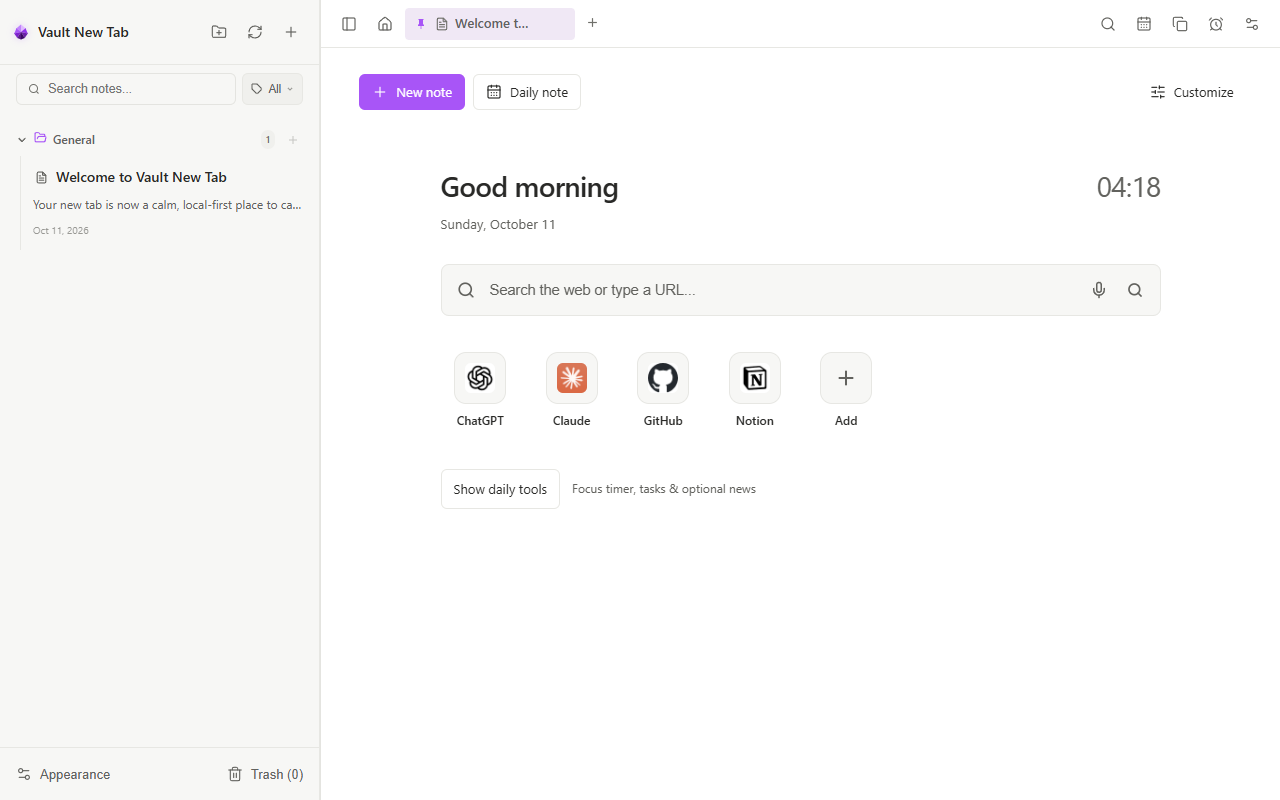
Designed for effortless daily writing.
Capture notes, organize research, clip web articles, and manage your focus the moment you open a new tab in Google Chrome.
A comfortable place to write
Write in Live view, compare your Markdown with its preview in Split view, or work directly in Source.
Eliminates stretched lines on ultra-wide screens. Perfectly matches desktop Obsidian note proportions.
170px Focus Ring & Visual News Cards
Spacious 170px SVG Pomodoro ring with chime, +5m/-5m pills, real RSS image cards (The Verge, BBC, Cointelegraph), and live market dot.
Connected Accents & Background Customizer
Choose a dark or light background and an accent color that suits your workspace.
25-Tool Toolbar & Floating Selection Bubble
Full suite of Obsidian formatting tools, draggable floating bubble, case converters, line numberer, table-list transforms, and note title headers.
</> H1 H2 H3 ▦ [! ] Universal BiDi and RTL Direction Engine
Automatic per-paragraph direction detection for Arabic, Hebrew, and Persian with preserved inline code and URLs.
ملاحظات سريعة: تم حفظ الملف في Notes.md بنجاح!
محاذاة تلقائية لجميع الفقرات دون التأثير على الكود الإنجليزي.
Smart Web Clipper & Local Obsidian Sync
Right-click web selections to "Add to Note" with auto-captured source metadata. Sync directly with your local Obsidian vault folder.
64 Verified 4K UHD Scenery Wallpapers
Hand-curated Nature, Cyberpunk, Cosmos, and Minimal collections with smart anti-repetition shuffle and 16-item gallery browsing.
Fluid Squircle Launcher & On-Device Voice
Physics-based drag-and-drop app reordering, Launchpad folder grouping, and hands-free voice notes with speech-to-text.
Sync locally.
Access your notes across your local file system, secured with zero cloud intermediaries.
Download complete snapshot of all notes, tags, and settings.
Save current note as standard Markdown file to disk.
Test RTL / LTR Direction Detection
Type in Arabic, Hebrew, Persian, Urdu, or English. Vault automatically calculates text direction per-paragraph without breaking technical punctuation or code.
ملاحظات سريعة: تم حفظ الملف في مسار C:\Vault\Notes.md بنجاح!
استخدم الأمر git commit -m "update" لمزامنة التغييرات فوراً.
Deep Personalization & 10 Curated Themes
Connect dynamic accent colors across your entire workspace, or manually select any background color from Pure AMOLED to Paper Light.
Make room for your writing
Choose a background and accent that feel comfortable to read. This preview lets you try the combination before opening the extension.
Every border, active tab indicator, link, and timer ring reflects your chosen color seamlessly.
Vanilla AMOLED
Pure true black with glowing purple accents
Obsidian Default
Original Obsidian dark charcoal interface
Kepano Minimal
Clean, subtle monochrome aesthetics
Cultured Things
Refined dark slate with deep blue highlights
AnuPpuccin Mocha
Warm Catppuccin pastel dark palette
Blue Topaz
Deep sapphire navy with neon cyan radiance
Obsidian Nord
Arctic icy-blue pastel dark theme
Atom One Dark
Iconic code editor syntax styling
Obsidian Gruvbox
Retro warm earthy amber palette
Paper Light
Crisp white paper with high-contrast typography
Keyboard Shortcuts
Designed for frictionless typing. Never lift your hands from the keyboard.
| Key Combination | Action | Description |
|---|---|---|
| Ctrl + K / Ctrl + O | Quick Switcher (Spotlight) | Instant search across all note titles and contents |
| Alt + D | Today's Daily Note | Creates or jumps to today’s scratchpad (YYYY-MM-DD.md) |
| Ctrl + N | Create New Blank Note | Instantly opens a new note ready to write |
| Ctrl + S | Save Active Note | Forces an immediate save to local storage or folder |
| Ctrl + E | Cycle View Modes | Cycles between Live WYSIWYG, Split, and Source |
| Ctrl + Shift + D | Insert Timestamp | Inserts current formatted date & time header |
| Ctrl + \ | Toggle Left Sidebar | Expands or collapses the note list |
| Ctrl + Z / Ctrl + Y | Undo / Redo | Full historical undo and redo in both Live & Source |
| Ctrl + B / I / U | Bold, Italic, Underline | Standard inline Markdown formatting |
| Ctrl + Click | Open Hyperlink | Opens any clicked link in a fresh browser tab |
Community and Support
Vault NewTab is an independent project by Billy with public feedback and a transparent roadmap.
Feedback & Roadmap ↗
Suggest new features, report bugs, and vote on upcoming releases on our public UserJot board.
Visit UserJot Board →Support on Ko-fi ↗
Help keep Vault NewTab independent, fast, and free of subscriptions or advertisements.
Buy a Coffee on Ko-fi →Google Chrome Store →
Install Vault NewTab from the Chrome Web Store. 100% private, local-first, zero tracking or subscriptions.
Install from Store →Documentation & Guides →
Master keyboard shortcuts, Obsidian vault sync setup, BiDi writing tips, and backups.
Read Documentation →Frequently Asked Questions
Everything you need to know about Vault NewTab, privacy, Obsidian sync, and data safety.
Do I need to create an account or sign up to use Vault NewTab?
No. Vault NewTab is 100% local-first and account-free. When you install the extension, your workspace is ready immediately. Notes, settings, tasks, and clippings are saved securely in your browser or local vault folder.
How does the Obsidian Local Vault sync work?
Vault NewTab utilizes the modern W3C File System Access API. In Settings, you can choose any existing folder on your computer (such as your Obsidian vault directory). Vault NewTab reads and writes standard human-readable .md Markdown files directly. Changes are written to that folder while access is granted. Chrome may ask you to reconnect after a browser restart. Keep a backup before connecting an existing vault.
Is connecting a local folder mandatory?
No, choosing a folder is completely optional. If you do not choose a folder, your notes and clips are stored in this browser profile. Available space depends on your device. Export a backup before uninstalling the extension or clearing browser data.
How does the Arabic and RTL text detection work?
Vault NewTab has an advanced Unicode BiDi analyzer built into its Markdown parser. It evaluates every paragraph, heading, list item, and table cell independently. If a paragraph starts with or predominantly contains Arabic, Hebrew, Persian, or Urdu, it aligns right-to-left while preserving English code terms and URLs in correct left-to-right order.
What data does the Chrome Web Clipper capture?
The clipper activates when you choose a clipping action from a webpage context menu. It extracts the selected text, the source webpage URL, article title, and visible author handles. It never tracks background browsing history.
Can I export or backup my notes?
Yes. You can export any active note as a standard .md file, or export your entire workspace (notes, settings, shortcuts, and reminders) as a single JSON backup. You can also merge backups back anytime safely.
Does the extension make background cloud calls?
Local notes work offline. Online features can request weather, RSS feeds, market data, wallpapers, favicons, and embedded media. Voice transcription requires a model download before it can run locally. Enabled widgets may refresh while your new tab is open.