
The 10 Best Chrome Extensions for Students & College in 2026 (Tested)
Between juggling lecture slides, research databases, assignment deadlines, and digital distractions, college life happens inside the browser. We tested dozens of tools to rank the 10 best Chrome extensions for students to keep you focused, organized, and ahead of your coursework.
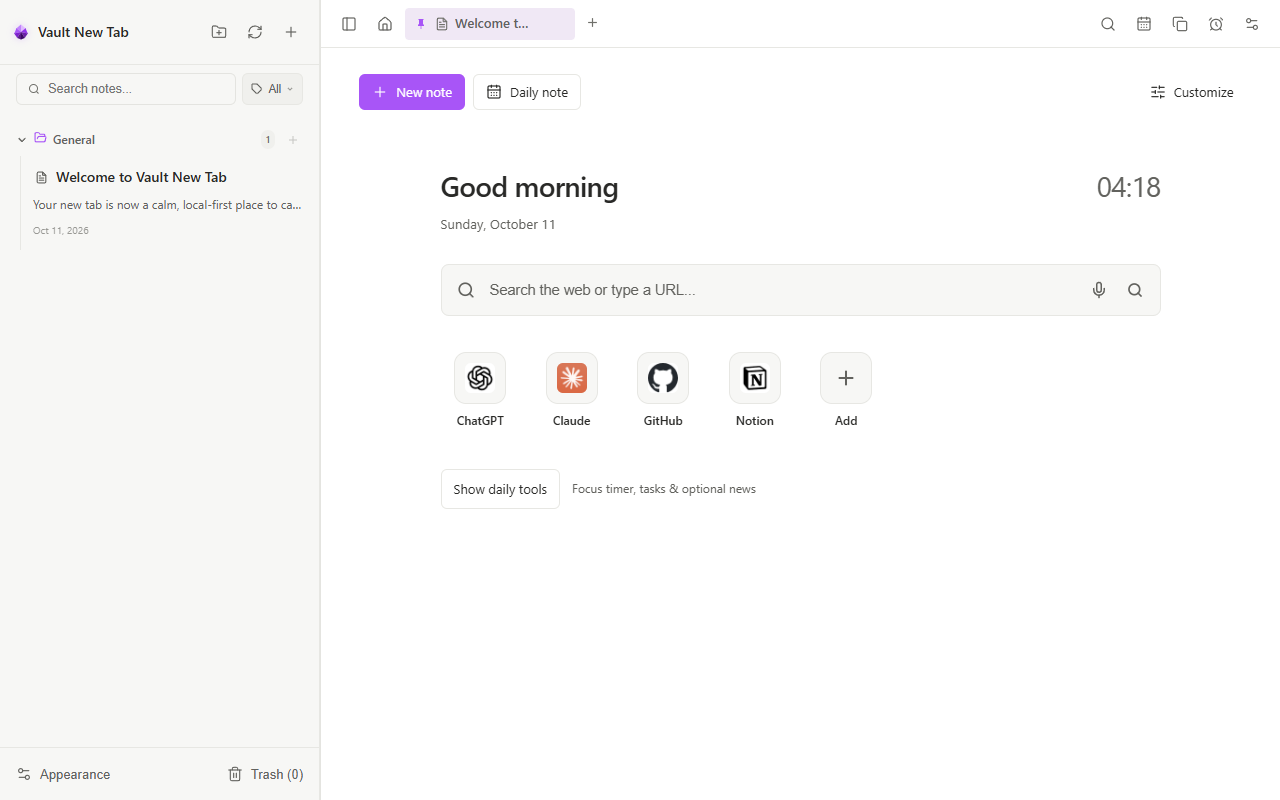 Transforming your student browser: Scratchpad notes, study timer, and academic shortcuts.
 Why Chrome is the Modern Student's Classroom
For today's college and university students, almost everything—from submitting assignments on Canvas or Blackboard, reading JSTOR journals, to coding in Google Colab—happens across dozens of open tabs.
Without the right extensions, your browser becomes a productivity minefield of social media algorithms, messy bookmarks, and lost research notes. Installing a curated set of student productivity Chrome extensions creates a focused, distraction-free environment that saves hours every week.
Top 10 Student Extensions at a Glance
| Extension | Primary Use Case | Key Student Benefit | Pricing |
|---|---|---|---|
| Vault NewTab | Lecture Notes & Pomodoro Focus | Offline Markdown scratchpad, voice dictation, 25m study timer | 100% Free |
| Zotero Connector | Research Citations | 1-click bibliography and APA/MLA citation saving | Free |
| Grammarly | Essay Editing & Grammar | Real-time spellcheck and academic tone suggestions | Freemium |
| Quizlet | Exam Prep & Flashcards | Quick access to flashcard sets while studying | Freemium |
| Forest | Phone & Tab Distraction Block | Gamified focus timer that blocks distracting websites | Free |
| Google Scholar Button | Academic Papers | Instant journal searches and free PDF access | Free |
| Kami | PDF Document Markup | Annotate textbook PDFs and slides directly in browser | Freemium |
| NaturalReader | Text-to-Speech | Listen to lengthy assigned readings and textbook chapters | Freemium |
| Clockify | Study Hours Tracking | Track hours spent per subject or project | Free |
| Toby | Tab Organization | Save research session tab groups for exams | Freemium |
1. Vault NewTab — The Ultimate Student Workspace
Most students waste valuable mental energy switching between a note app, a timer app, a music tab for background noise, and their browser. Vault NewTab brings all these essentials into your new tab page.
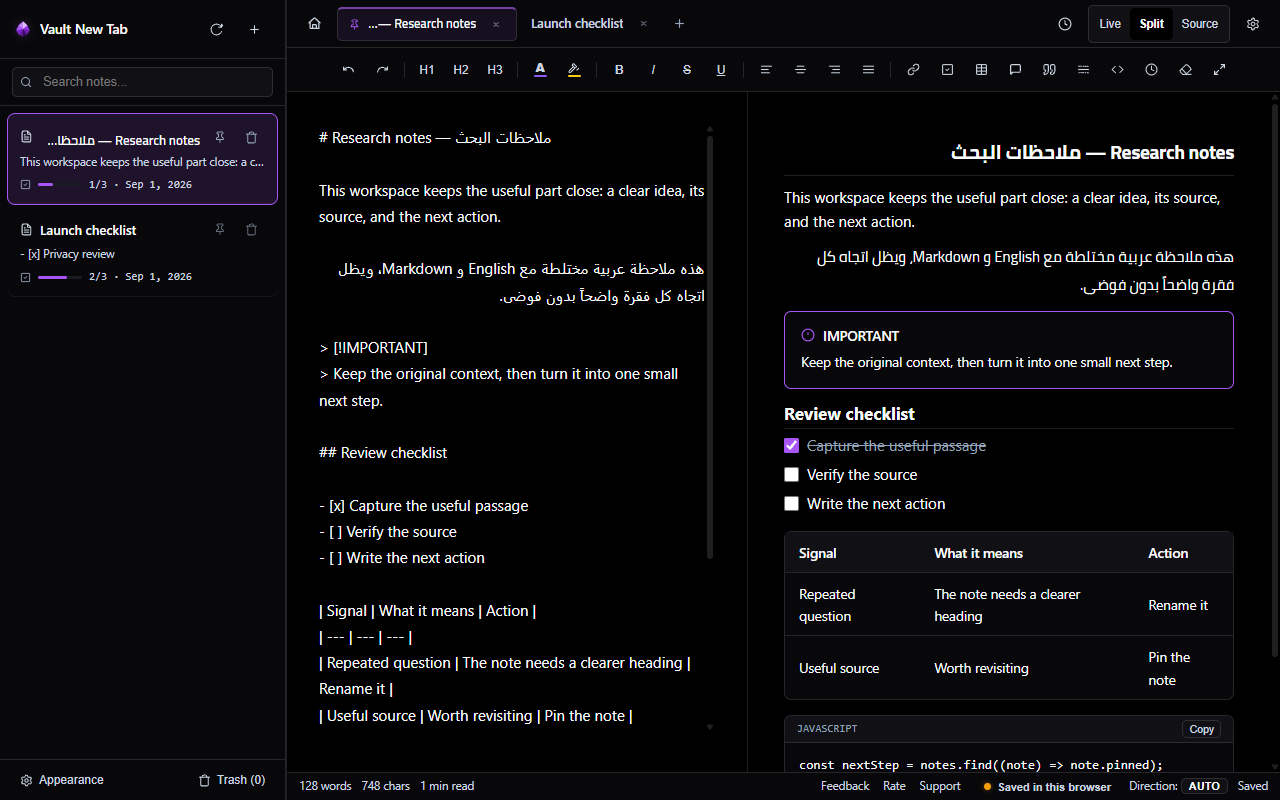 Vault NewTab: Split-screen lecture notes, markdown checklists, and study timer.
 Why Students Rely on Vault NewTab:
- Zero-Latency Lecture Notes: Hit Ctrl + T and immediately begin typing notes. Format with Markdown headers, bullet points, checklists, and code snippets.
- Offline Lecture Hall Reliability: Campus Wi-Fi often drops in large lecture halls. Vault NewTab runs 100% locally on your machine—your notes always save reliably to IndexedDB or your local folder without an internet connection.
- Integrated Pomodoro Study Timer: Stay locked in with built-in 25-minute study intervals, 5-minute break chimes, and ambient audio soundscapes (rain, forest, campfire) that block campus noise without requiring a Spotify tab.
- Voice Notes for Spontaneous Insights: Walking between classes or brainstorming an essay topic? Press Alt + T to dictate voice memos with on-device speech-to-text.
- Web Research Clipper: Right-click on articles, Wikipedia entries, or journal passages to save them with author and source link metadata straight to your active note.
Boost your study productivity today
Install Vault NewTab free on the Chrome Web Store and turn your new tab into an academic command center.
Essential Research, Writing & Citations Extensions
2. Zotero Connector
Citing sources in APA, MLA, or Chicago format is one of the biggest time sinks in college. The Zotero Connector detects research papers on Google Scholar, JSTOR, PubMed, and arXiv, saving full bibliographic references and PDFs to your local library in one click.
3. Grammarly
Whether drafting discussion board posts, email correspondence with professors, or senior thesis chapters, Grammarly catches grammatical errors, awkward phrasing, and tone mismatches across Google Docs and web forms.
4. Google Scholar Button
Highlight any journal title or quote on a webpage, click the Google Scholar extension button, and instantly view academic citations, related papers, and legal open-access PDF links without navigating away from your research.
5. Forest
When exam week arrives and social media threatens your study time, Forest gamifies focus by planting a virtual tree that grows while you study and dies if you open blacklisted distracting websites.
5 Habits for a 4.0 GPA Browser Setup
- Separate School from Leisure: Set up a dedicated "University" Chrome Profile with Vault NewTab installed so your study tabs remain isolated from gaming and streaming.
- Use Daily Study Notes (Alt + D): Start every study block by opening today's Daily Note in Vault NewTab to list your 3 key academic goals.
- Work in 25-Minute Sprints: Study fatigue kicks in after 30 minutes. Use the circular focus timer on your new tab to take regular 5-minute cognitive breaks.
- Clip Before You Lose: When reading long papers, right-click to clip important quotes and statistics immediately instead of bookmarking 50 tabs you will never revisit.
- Review Before Sleeping: Re-read your day's Markdown notes right on the new tab before shutting your laptop to reinforce memory retention.
Frequently Asked Questions
What is the best free note-taking Chrome extension for students?
Vault NewTab is 100% free with no subscription, no ads, and no account required. It gives students full Markdown note-taking, checklists, voice memos, and a Pomodoro timer.
Can I use Vault NewTab during exams without an internet connection?
Yes. Vault NewTab runs completely offline from your local browser storage and local files, making it completely reliable in lecture halls or offline study environments.
Supercharge Your College Workflow
Turn every new tab into an organized study sanctuary with lecture notes, focus soundscapes, and study timers.
Add to Chrome